


Keebart Studio
Make your keyboard yours. Configure keys, layers, lighting and shortcuts in one simple app.
All Keebart keyboards supported
Downloads are not available right now. Please check back soon.
Lighting for every key. And every layer.
Set individual key colors and give each layer its own lighting. Make your layout feel like yours, and see which layer is active at a glance.
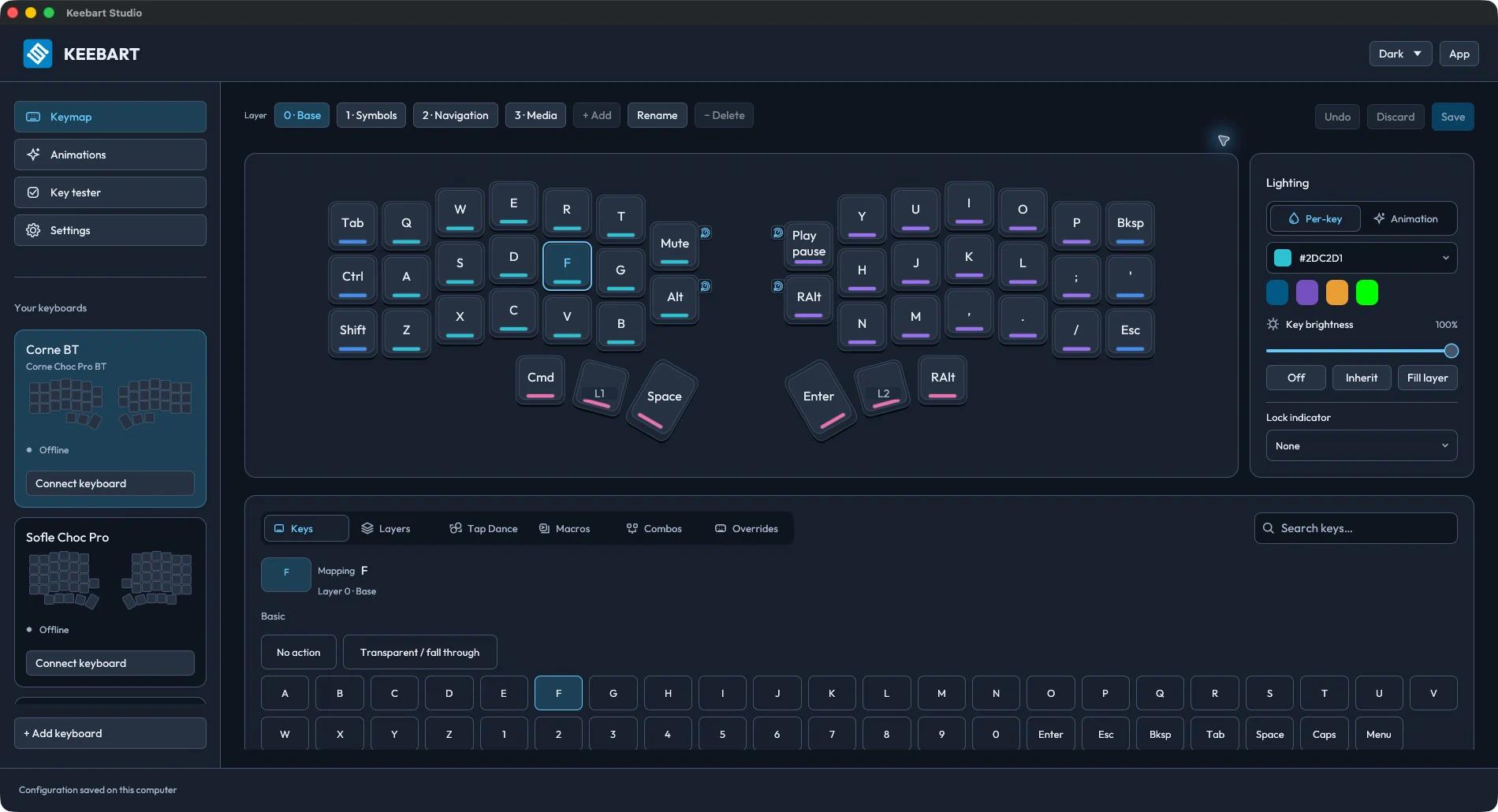
Corne Choc Pro BTDark mode
No flashing. No fuss.
Change keys, layers and lighting without compiling or flashing firmware. Connect your keyboard and start making it yours.
Saved to your keyboard
Save changes directly to your keyboard, not just to the app. Your setup stays with you when you switch computers.
One app. All your keyboards.
The same features for every Keebart keyboard. One familiar experience on macOS, Windows and Linux.
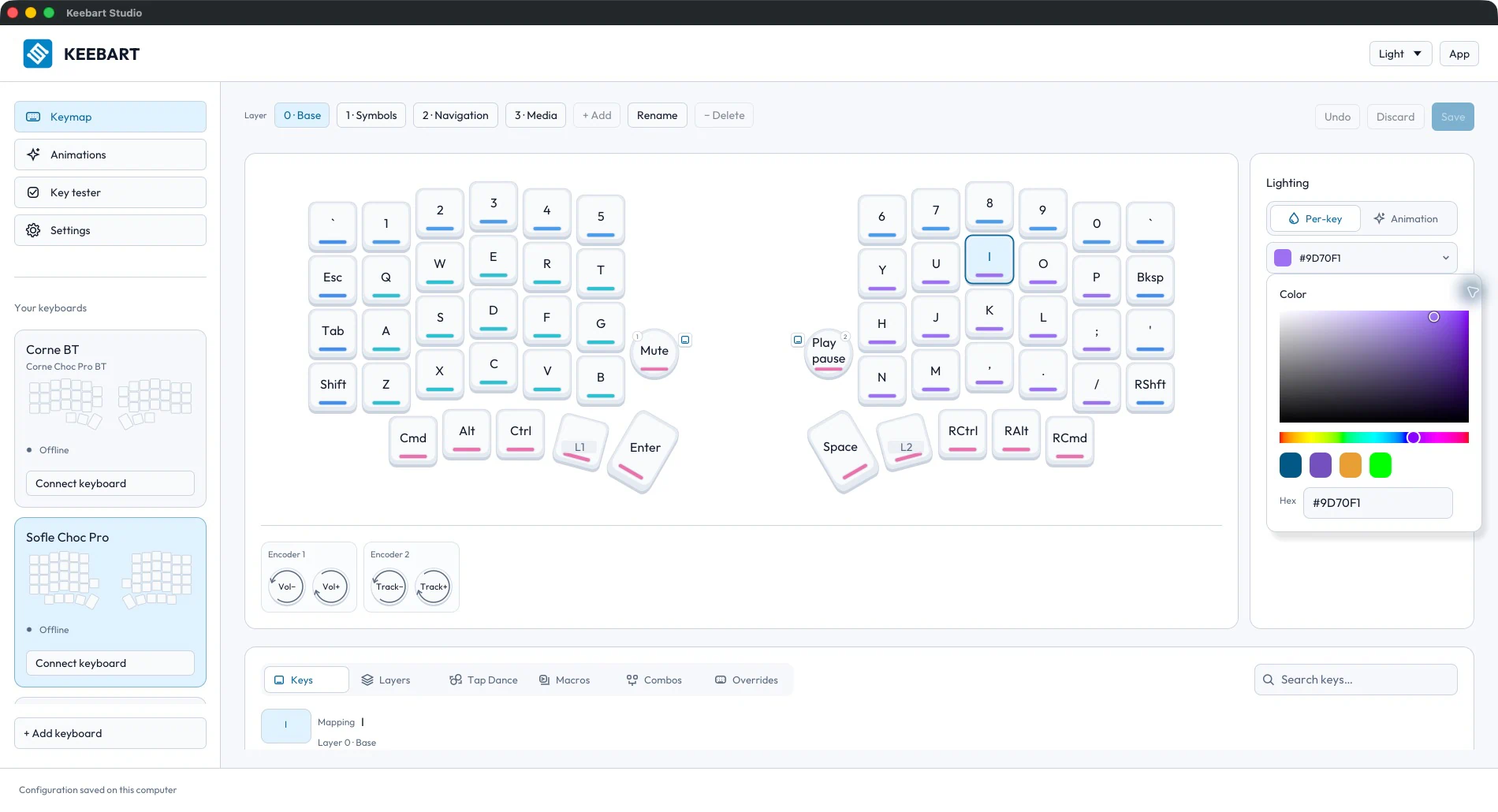
Sofle Choc ProLight mode
Looking for your keyboard guide?
Find setup guides, default keymaps and upgrade instructions.